TF2 tweaks
by chazu, 2016-11-1

These are tweaks I use in Team Fortress 2.
Launch options
Add to Team Fortress 2 in Steam Library:-novid -nocrashdialog -nojoy -noipx -nocdaudio -64bit +mat_forcehardwaresync 0 -console
Autoexec file and console commands
Autoexec file is a text file into which you input console commands you wish the game to run on startup.With an autoexec file you don't need to enter your commands everytime you start the game.
This is how you set up an autoexec file:
- navigate to \Steam\steamapps\common\Team Fortress 2\tf\cfg
- open autoexec.cfg with a text editor
- add your commands at the bottom of the list and save
Commands for autoexec file
fov_desired 90
viewmodel_fov 70
hud_combattext_batching 1
cl_interp 0.015 )
cl_interp_ratio 1
cl_updaterate 66
bind w +mfwd
bind s +mback
bind a +mleft
bind d +mright
alias +mfwd "-back;+forward;alias checkfwd +forward"
alias +mback "-forward;+back;alias checkback +back"
alias +mleft "-moveright;+moveleft;alias checkleft +moveleft"
alias +mright "-moveleft;+moveright;alias checkright +moveright"
alias -mfwd "-forward;checkback;alias checkfwd none"
alias -mback "-back;checkfwd;alias checkback none"
alias -mleft "-moveleft;checkright;alias checkleft none"
alias -mright "-moveright;checkleft;alias checkright none"
alias checkfwd none
alias checkback none
alias checkleft none
alias checkright none
alias none ""
viewmodel_fov 70
hud_combattext_batching 1
cl_interp 0.015 )
cl_interp_ratio 1
cl_updaterate 66
bind w +mfwd
bind s +mback
bind a +mleft
bind d +mright
alias +mfwd "-back;+forward;alias checkfwd +forward"
alias +mback "-forward;+back;alias checkback +back"
alias +mleft "-moveright;+moveleft;alias checkleft +moveleft"
alias +mright "-moveleft;+moveright;alias checkright +moveright"
alias -mfwd "-forward;checkback;alias checkfwd none"
alias -mback "-back;checkfwd;alias checkback none"
alias -mleft "-moveleft;checkright;alias checkleft none"
alias -mright "-moveright;checkleft;alias checkright none"
alias checkfwd none
alias checkback none
alias checkleft none
alias checkright none
alias none ""
I use 90 FOV and 70 view model FOV. Hud_combattext_batching should show damage counter above player characters.
The three cl_ commands should make the weapon projectile animations seem faster and more responsive and accurate.
The list of bind and alias commands is the 'Null movement' script. It makes you move to the direction you pressed last instead of completely halting when you press two opposite direction keys simultaneously.
Null movement pastebin: http://pastebin.com/DK58CGn1
Custom HUDs
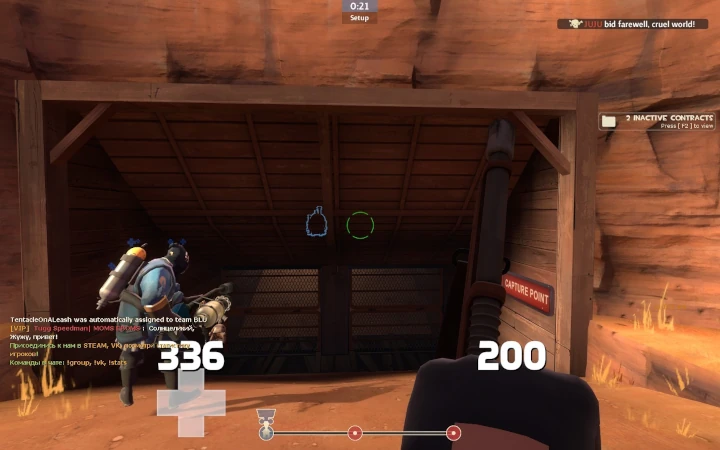
FUNKeHUD v. 3.2
A minimalistic HUD with big ammo and health indicators close to the center of screen.Download link at FUNKe's Steam Group: https://steamcommunity.com/groups/funkesgrotto
pic here
Installing the HUD:
- Download the hud and unzip the file
- Navigate to: \Steam\steamapps\common\Team Fortress 2\tf\custom
- Copy the HUD folder there
- The folder strucutre should be: \Steam\steamapps\common\Team Fortress 2\tf\custom\broeselhud_blue-master (funke vrsion)